Geometry platformers occupy a strange space in browser gaming. They are punishing, repetitive, often frustrating - and yet players keep coming back to them, and the genre has produced some of the most loyal communities in casual gaming. Geometry Dash created the template, dozens of imitators have iterated on it since, and most of them are forgettable. Geometry Vector is one of the few worth your time.
What separates it from the herd is not its mechanics - those are familiar to anyone who has played the genre before. It is the visual language. Geometry Vector commits to a clean vector-art aesthetic, and that single design choice changes the entire feel of the game.
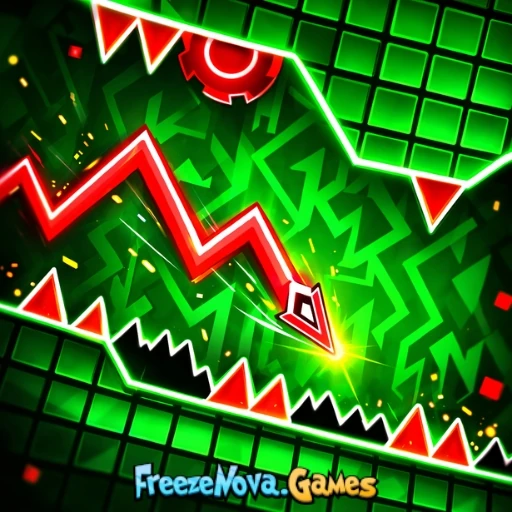
A rhythm-based platformer with sharp vector art - one button, escalating challenge, and the most readable obstacle design in the genre.
What Geometry Vector Actually Is
If you have never played a geometry platformer before, the format is one of the simplest in gaming. You guide an icon through a side-scrolling course filled with obstacles - spikes, walls, rotating hazards. A single touch ends your run. The icon moves forward automatically, and you have one input: jump. Some sections introduce variations like flying, gravity inversion, or sustained input, but the core loop is press-or-don't-press, timed to the millisecond, in sync with an aggressive electronic soundtrack.
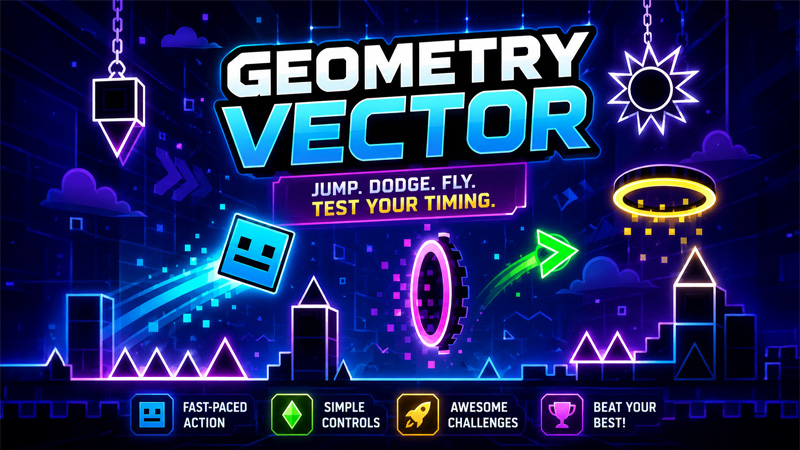
Geometry Vector takes this format and renders it in vector art. Clean lines. Sharp angles. Bold flat colours. No texture noise, no busy backgrounds, no visual clutter. The result is the most legible game in the genre - hazards stand out clearly against the environment, timing windows are visually obvious, and pattern recognition is markedly easier than in games that use more elaborate visual styles.
Geometry Vector is available free on Classroom Connect. Spacebar or click to jump - that's the entire control scheme.
How to Play
The full control scheme is a single button. Spacebar, mouse click, or screen tap all do the same thing - jump. In flying sections, holding the button keeps you ascending. In gravity-inverted sections, the same input still controls vertical movement, just in the opposite direction. There is no learning curve for the controls. There is a substantial learning curve for the timing.
Levels are divided into distinct sections, each with its own pattern of obstacles. A level might begin with simple spike jumps, transition into a flying segment with narrower gaps, hit a gravity-inversion portal, then a wave-form section where the icon moves in tight diagonals. Each section requires a different rhythm and a different mental model. Mastering a full level is the process of internalising each section's pattern and chaining them together without breaking the rhythm at the transitions.
Why the Vector Art Matters
The visual style is not just aesthetic. In geometry platformers, your ability to read the screen quickly is the difference between progressing and dying repeatedly to the same spike. Busy visuals - gradients, particle effects, animated backgrounds - all add noise that your brain has to filter through to locate the actual hazards. Vector art strips that noise out entirely.
When you are six attempts deep into a section that you keep failing in the same place, the difference between a visually clean game and a visually busy one is the difference between learning the pattern and grinding the same death over and over. Geometry Vector's design makes hazard timing easier to identify, which means failures are more clearly attributable to specific input errors rather than to misreading the screen. That makes the practice feel more productive.
Reading the Music
Geometry platformers are rhythm games as much as platformers. The obstacle timing is built around the soundtrack, and treating the audio as a guide rather than as background music makes a substantial difference to your performance.
When you are struggling with a section, try playing with the sound on at a comfortable volume and consciously aligning your inputs with the beat. The pattern that looked random when you were watching only the screen often becomes obvious when you start hearing the pulse of the music underneath it. Players who treat the music as decorative tend to plateau at a level of difficulty where their visual reaction time runs out. Players who treat it as instruction continue progressing further.
Headphones make a real difference. The bass-heavy electronic music in geometry platformers carries timing information that small laptop speakers underplay. If a section is beating you, try headphones before trying anything else.
Tips for Progressing
- Don't grind the full level. If you keep dying at the same point, replaying the easy first 40% to get to the hard part wastes time. Most browser geometry platformers have a section practice mode - use it to drill the difficult passage in isolation.
- Watch the percentage counter. Geometry Vector tells you how far through a level you reached on each attempt. Watching that number climb across attempts gives the practice a clear sense of progress, even when you are still failing the same section.
- Look ahead, not at your icon. The natural instinct is to focus on the icon's exact position, but the icon's position is determined by the inputs you made one or two seconds ago. Your eyes should be on what is coming, not on what you are already passing.
- Take breaks between attempts. Geometry platformer frustration is real and tilting into rapid-fire attempts when you are angry produces worse outcomes than a thirty-second pause to reset.
- Don't change settings mid-attempt. Volume, screen size, key bindings - lock them in before a serious attempt. Adjusting controls under frustration usually makes things worse, not better.
Why It's Worth Playing
Geometry Vector is the geometry platformer to recommend to someone who has bounced off the genre before. The visual clarity makes the early levels meaningfully more accessible than the busier alternatives, and the underlying mechanics still scale up to the same depth that genre veterans expect from later levels. It's not trying to reinvent the format. It's trying to present it as cleanly as possible, and it succeeds at that consistently.
If you played Geometry Dash years ago and have not touched the genre since, this is a good way back in. If you have never tried a geometry platformer at all, this is probably the easiest entry point in the genre. Open it on Classroom Connect, put your headphones in, and accept that the first ten minutes will be ugly. By the twentieth, the rhythm of it will start to make sense, and at that point the game tends to keep you for considerably longer than you intended.