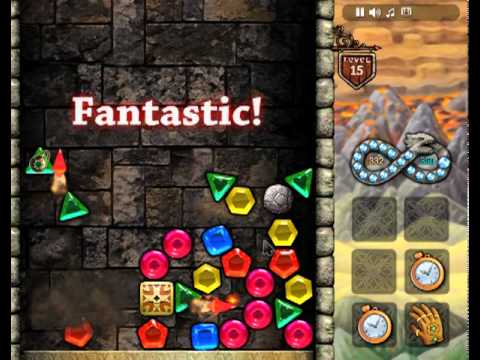
What is Cloud Gaming?
Cloud gaming is a technology that runs game software on powerful remote servers and streams the results to your device in real time, just as a video is streamed from Netflix or YouTube. Instead of your device doing the processing work, a server somewhere else does it and sends you the visual output. This means you can play games that would ordinarily require high-end hardware on any device with a decent internet connection - including the modest Chromebooks and laptops most people have to hand.
How Cloud Gaming Works in Your Browser
When you access the Cloud page on Classroom Connect, you are connecting to a server that runs the games and streams their output directly to your browser window. Your inputs - keyboard presses, mouse movements - are sent to the server, which processes them and sends back the updated visual output. The whole exchange happens fast enough that the game feels responsive and natural under good network conditions. No installation is needed on your end because all the game software lives on the server.
The Low-Powered Machine Advantage
Cloud gaming is a natural fit for low-powered machines for two reasons. First, Chromebooks are typically underpowered devices that cannot run locally installed software beyond simple browser applications. Cloud gaming bypasses this limitation entirely by offloading all processing to a remote server. Second, Chromebooks run ChromeOS which cannot install most conventional game software. A browser-based cloud gaming solution requires no installation and works within the browser environment that Chrome OS supports fully.
Network Requirements and Performance
Cloud gaming quality depends more on network conditions than device hardware. A stable connection produces smooth, responsive gameplay. A congested or high-latency connection introduces delay between your inputs and the game's response, which can make precise games feel unresponsive. Shared connections are often used by many people at once simultaneously, which can affect streaming quality during peak periods. For the smoothest cloud gaming experience, connecting during less busy periods or when fewer students are on the network simultaneously produces the best results.
What to Expect
The Cloud page provides access to games through a streaming interface that should feel familiar if you have used any streaming video service. The game loads in your browser window and you interact with it just as you would with any locally running game. The available game selection and specific functionality may vary depending on the server configuration at any given time. Try it with an open expectation - cloud gaming technology has matured significantly and often delivers a surprisingly good experience even under modest network conditions.
The Future of School Gaming
Cloud gaming represents a meaningful shift in how games can be accessed. As streaming technology improves and connections become faster, the gap between what a browser can deliver and what a dedicated gaming machine can deliver continues to narrow. For students without access to powerful personal hardware, cloud gaming is increasingly a genuine equaliser - providing access to gaming experiences that hardware limitations would otherwise prevent. Classroom Connect's Cloud page is your window into this technology.
Access Cloud gaming free on Classroom Connect with no download or login required. Stream directly to your browser and play without your device's hardware getting in the way.